
Remote Event Storming in 3 minutes
We explored how to adapt Event Storming for distributed teams. Here are the key aspects of Remote Event Storming.
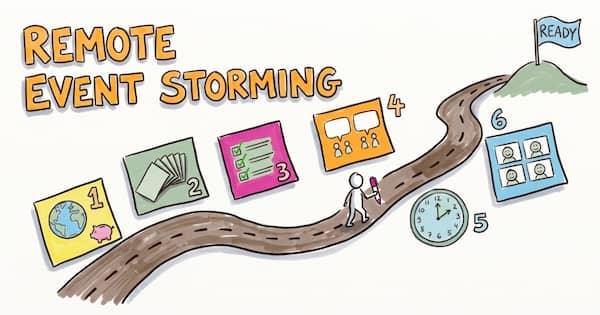
Deciding to add a full part on remote facilitation to the book was a difficult question for us. The con is that it definitely lengthens a book that promises to be concise, but the pro is we found surprisingly little on the topic. Eventually, what made our decision is that we believe hybrid work is here to stay.
This post highlights the main takeaways from our previous Remote Event Storming posts.
Why Go Remote with Event Storming?
Logistics and finance make it hard to repeat Co-Located Event Storming regularly. Going remote is what makes the practice repeatable. Why Go Remote with Event Storming? The Surprising Benefits highlights the important long-term advantages of going remote, such as:
- Saving time and money
- Being greener and more inclusive
- Leveraging digital tools for better outcomes
Simplify Remote Event Storming With 7 Essential Practices

Self-organization won’t happen by itself online. As the facilitator, you will need to make the implicit explicit. The 7 key practices are:
- Splitting the workshop into short 90-minute sessions
- Breaking out into topic rooms
- Assigning specific collaboration roles
- Merging work with Silent Sorting
- Keeping the board self-explanatory
- Having participants practice first
- Finding a co-facilitator
You’ll find all the details in Remote Event Storming Simplified: 7 Essential Practices.
Your Step-by-Step Guide to Remote Event Storming
Proper preparation limits stress during the workshop. See Remote Event Storming: Your Step-by-Step Preparation Guide for more details:
- Look for a good virtual whiteboard system. If you cannot find one, collaborative online slides like PowerPoint or Google Slides do a better job than bad virtual whiteboard systems with clumsy UX.
- Look for a co-facilitator who is enthusiastic. Experience is a plus, but not a must-have.
- Run a rehearsal and “get ready” session, so the workshop is never the first time anyone touches the board.
- Send an invite that sets expectations. The guide has a template you can copy.
The steps during the workshop are pretty much the same as in person, with twists. Remote Event Storming Made Easy: a Step-by-Step Success Guide walks you through the agenda, highlighting the adaptations needed for remote facilitation:
- Use breakout rooms to sort the events and to do storytelling
- Use silent sorting to add actors and external systems
- Pick your facilitation style based on the follow-up activities you plan afterwards
Leverage the Time Between Sessions in a Remote Event Storming

Short, 90-minute sessions prevent video fatigue and give you a facilitation superpower! Leverage the time between sessions in a remote Event Storming explains how:
- Adapt the workshop agenda and activities based on new understanding or feedback
- Keep an audit trail of what happened in the workshop by taking snapshots
- Make sure to start the next session with all the information you need, by assigning homework to participants
Keep Virtual Workshops Fun and Productive
Remote Event Storming: Making Virtual Workshops Fun and Productive addresses the elephant in the room about remote workshops. Remote meetings and workshops are less engaging, and it’s easier to be distracted by something else. Besides techniques we already mentioned (like breakout rooms with collaboration roles, webcams, silent sorting, shorter sessions and breaks) it presents new tips.
First, give everyone a reason to stay present. Nobody drifts off when they might be the one presenting next:
- Explain that you won’t have the time for parallel work during the workshop in the invite
- Tell them you will ask someone to present
- Ask questions directly to people
- Run regular micro-retrospectives
Then, remote does not rule out community and social moments in the workshop:
- Set up physical “co-working and break hubs” for participants from different offices to “co-work together”
- Communicate the progress more widely in the organization
Going further with Remote Facilitation
Here are some references we found particularly useful:
- Remote Team Flow EventStorming for Retrospectives - Nick Tune
- My Experience With Using Liberating Structures, Online - The Liberators
If you want to learn more about facilitation in general, we recommend attending a Liberating Structures Immersion Workshop.
Extra Event Storming Tips
You’re now ready for physical and virtual Event Storming. Next, we’ll share tips for successful workshops; let’s start by looking at The ideal room for your in-person Event Storming.
This blog post is part of the 1h Event Storming book that we are currently writing.
Leave a comment