
Event Storming the flow in 3 minutes
Are you too busy firefighting to read all the blog posts on using Event Storming to optimize the flow? This 3-minute summary is what you need!
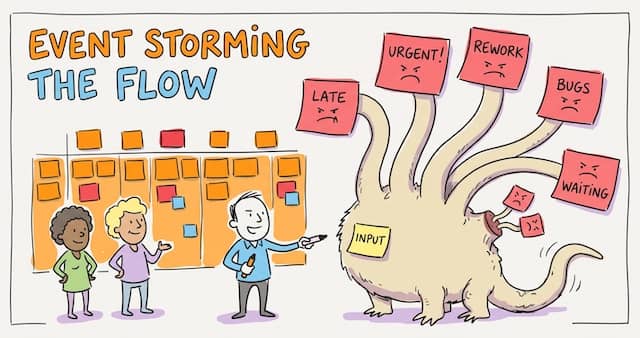
When discussing a problem in messy real life, everybody has their own belief about the cause. Event Storming the Flow is a way to co-create a shared picture of how work flows and come up with realistic actions. So, let’s recap what you learned so far about using Event Storming to optimize a workflow.
Should you run an Event Storming the Flow?
First, does your organization feel sluggish? Not delivering as fast as it should? Then start by asking yourself 3 questions to know if Event Storming the Flow could help you:
- Is it a problem of skills?
- Has the problem persisted or even grown despite the effort you or your team has already put into solving it?
- Is there one obvious solution?
If the answers are “no, yes, no”, then Event Storming the Flow is something to look into!
Setting up an Event Storming the Flow
The next step is preparation. As with any workshop, prerequisites are critical. No time to read the 5 ingredients to prepare before starting an Event Storming the Flow? Make sure you have these:
- Identify a workflow to tackle in the workshop.
- Gather the right audience:
- people affected by the outcome,
- people with the authority to decide,
- people who, together know the whole situation.
- Define a clear goal for the workshop. It guides your facilitation, motivates attendees, and tells the organization what you’re up to.
- Share a summary of the workshop to explain to participants what they will be walking into.
- Finally, find a real use case to start from. For example, “last month, we tried to deliver feature X, but we really struggled, and it took forever.”
Visualizing the workflow
Here are the steps to go through during the workshop itself:
- Restate the use case.
- Pick a first event, write it on an orange sticky, and stick it in the middle of the board.
- Find more events together (it’s called Event Storming for a reason).
- Identify hotspots (red stickies) and actors (small blue stickies).
- Review the timeline.
Follow these steps to visualize your workflow with Event Storming details the facilitation techniques. Remember one thing: “Event Storming is a lot more accessible than you might first believe.” Follow the steps, and the board will build itself.
Naming the monster
With the whole workflow on the board, everybody can step back and spot what is going on. So, brainstorm a funny name for the problematic patterns! This way, next time you find yourself in one of them, say something like “We are in Groundhog Day again!” and everyone will understand. See How Metaphors can help you focus and succeed in Event Storming for more details.

Systemic analysis
Jumping to root-cause analysis usually fails in this situation! Complex system problems emerge from interacting causes, so there isn’t one root cause. Don’t worry, here is a way to make sense of it all (How to discover the wicked vicious circles in your workflow):
- List the variables of your workflow (lead time, WIP, number of urgent requests…)
- Draw arrows for how they influence each other, and look for loops that feed themselves.
- Place each variable on a chart: how much the workflow moves it, and how much it moves the workflow.
You’ll end up with 4 quadrants:
- Inertia: the workflow barely moves it, and it barely moves the workflow.
- Inputs: easy to move, big effect on the workflow.
- Reactive: the workflow moves it a lot, but it changes little.
- Critical: moves a lot and changes a lot, so handle with care.
Input variables are the high-impact elements of the system: act on them to break vicious loops (Identify where to act to unlock your workflow).

Improving your workflow
All this would be useless if it did not improve your work life! A key part of every workshop is to conclude with realistic actions. Define actions that unlock lasting workflow improvements gives the steps and a template to write actions you can follow up:
- Identify a variable to act on.
- Brainstorm and draft ideas to move this variable.
- Specify an experiment: “We believe the first thing to do to… is to… We will know our hypothesis is correct if we observe…”
- Plan the actions and follow up.
Going further
Paul Rayner also wrote and talked a lot about Event Storming for Team Flow. If you want another view on the topic:
- Read his article EventStorming Team Flow.
- Watch his keynote Fighting the Invisible Enemy.
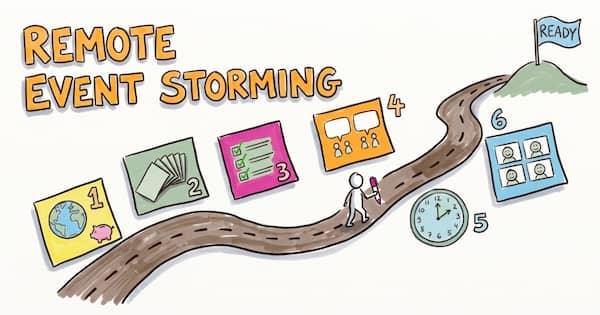
Ready for remote?
You now have everything you need to run your first Event Storming the Flow. Reality will teach you the rest, so book a workshop!
Next, we’ll see how to run Event Storming remotely, starting with Why go remote with Event Storming? The surprising benefits.

Go, go, go!
This blog post is part of the 1h Event Storming book that we are currently writing.

Leave a comment